
I’m hosting a real-time system that is very dependent on low latency throughput and I’m doing it on Azure. In hindsight this might not have been the best choice as you have no control over the PaaS services and only a shallow insight over the IaaS service that Azure offers. In hindsight, when you’re writing a real-time system, deploy it on an environment where you control everything.
Last week we were starting to get problems that the system would have these interruptions. Randomly it looked like the system would stop working for 1-2 minutes and then be back to normal. First we thought it was the network, but after diagnosis of the whole system, we found that the App Service Plan was restarting and this was causing the interruptions.
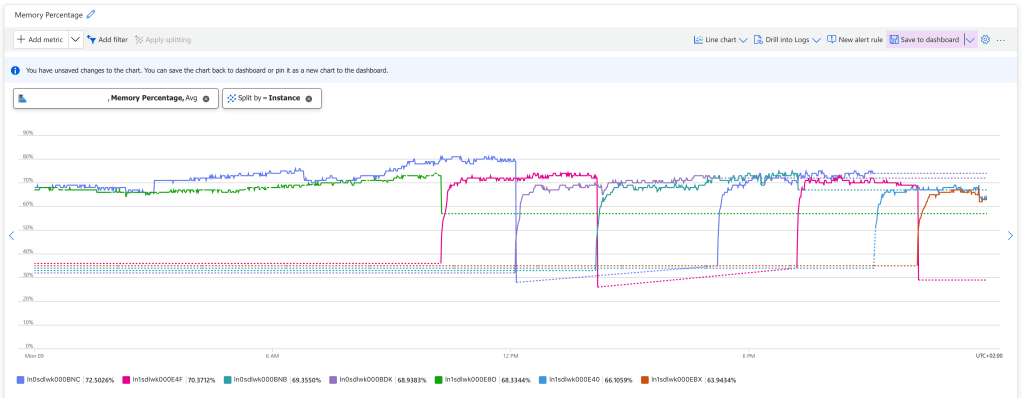
There is no log of this, but you can see it if you watch the App Service Plan metrics, and split the Memory Percentage on instance. You can see that new instances starts up when old ones are killed. While the new instance is starting up, we drop connections and the real-time system stops working for 1-2 minutes.
In a normal system this wouldn’t be a problem, because all requests would move over to the instance that is being live, and the users wouldn’t be affected, but we’re working with web sockets and they cannot be load balanced like that. Once they’re established, they will need to be reconnected if the instance goes down.
So this was bad for us!
These kind of issues are hard to troubleshoot because Azure App Service Plan is PaaS. You don’t have access to all the logs needed, but I found this tool when you go into the Azure App Service and select Resource Health / Diagnose and solve problems and search for Web App Restarted.

This confirms the issue but really doesn’t tell us why the instances are restarting. Asking Chat GPT for common reasons for App Service Instance restarts, I got the following list
- App Crashes
- Out of Memory
- Application Initialization Failures
- Scaling or App Service Plan Configuration
- Health Check Failures
- App Service Restarts (Scheduled or Manual)
- Underlying Infrastructure Maintenance (by Azure)
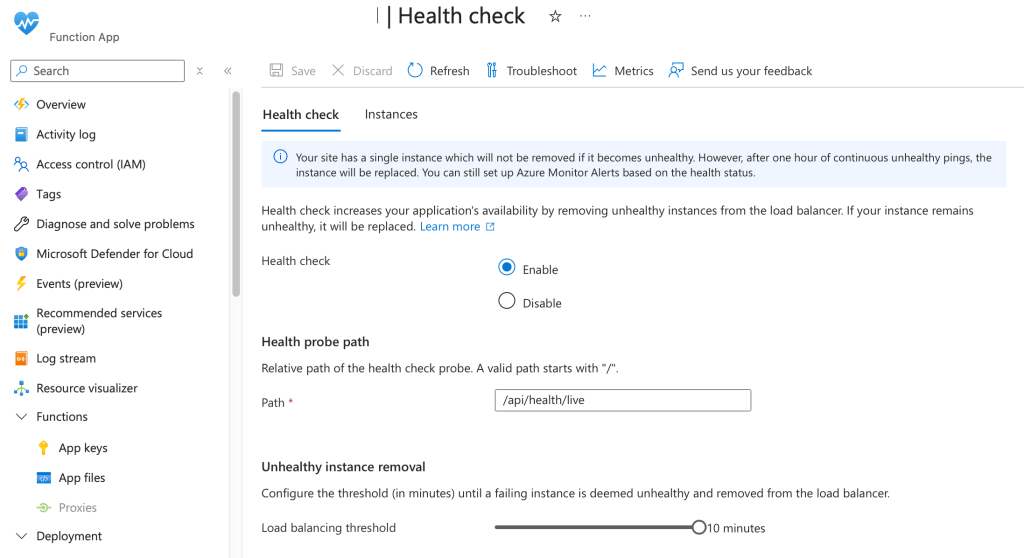
The one that stood out to me was “Health Check Failures” so I went into the Health Check feature on my App Service and used “Troubleshoot” but it said everything was fine. So I checked the requests to my /health endpoint and it told a different story.

The health checks are fine 99.99% of the times, but those 0.01% flukes will cause the instance to be restarted. Azure App Service will consider that the instance is unhealthy and restart it.
To test my theory I turned off health checks on my Azure App Service, and the problem went away. After evaluating for 24 hours we had zero App Service Instance restarts.
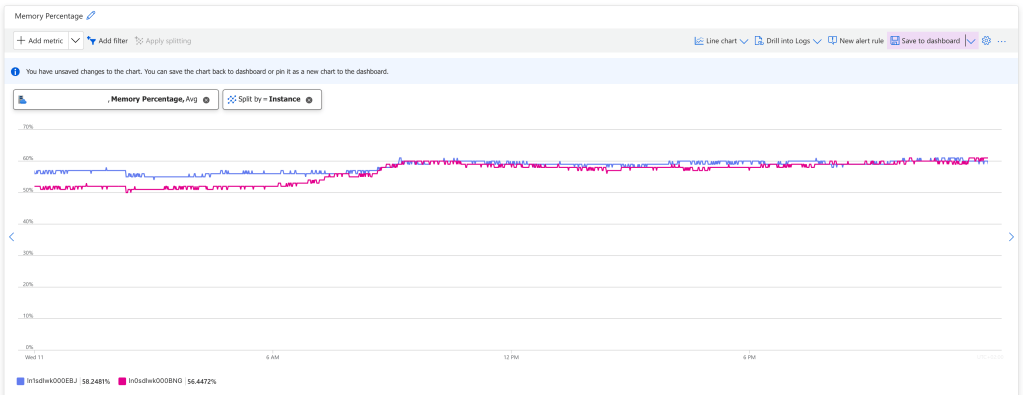
The problem is confirmed, but why are health checks failing? Digging a little deeper I found the following error message
Result: Health check failed: Key Vault
Exception: System.Threading.Tasks.TaskCanceledException: A task was canceled.
In my health checks I check that the service has all the dependencies it needs to work. It cannot be healthy if Azure Key Vault is inaccessible. In this case Azure Key Vault would return an error 4 times during 24 hours, and this would cause the health check to fail and the instances to be rebooted.
Why would it fail? This is could be anything. Maybe Microsoft was making updates to Azure Key Vault. Maybe there was a short interruption to the network. It doesn’t really matter. What matters is that this check should not restart the App Service instances, because the restart is a bigger problem than Key Vault failing 4 checks out of 2880.
Liveness and Readiness
Health checks are a good thing. I wouldn’t want to run the service without them, but we cannot have them restarting the service every hour. So we need to fix this.
I know of the concept of liveness and readiness from working with Kubernetes. I don’t know if this is a Kubernetes thing, but that is where I learned the concept.
- Liveness means that the service is up. It has started and are responding to essentially ping.
- Readiness means that the service is ready to receive traffic
What we could do, is to split health checks into liveness checks and readiness checks. Liveness checks would just return 200 OK so that Azure App Service health checks have an endpoint for evaluating the service.
The readiness checks would do what my health checks do today, verify that the service has all the dependences required for it to work. I would connect my Availability Checks to the readiness so I get a monitor alarm if the service is not ready.

 Klabbet